After you complete the project setup, Level CI automatically runs an accessibility analysis on your project’s default branch, typically main or master.
On this page:
Initial analysis
The first analysis establishes a baseline for your project and identifies existing accessibility issues across the application.

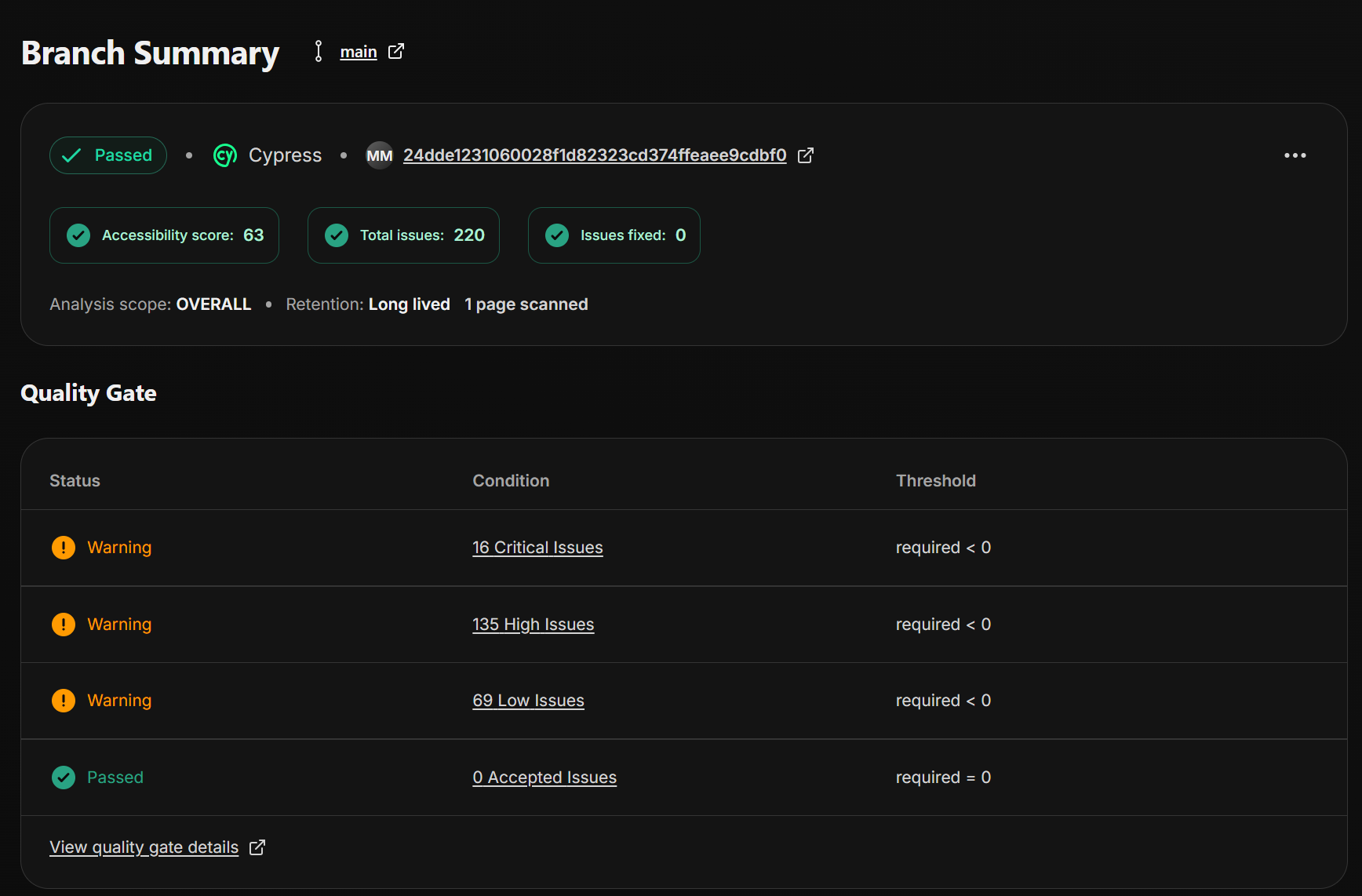
During this initial scan:
- The analysis scope is Overall.
- Existing accessibility issues are identified and added to the project.
- Results become available in the Level CI dashboard.
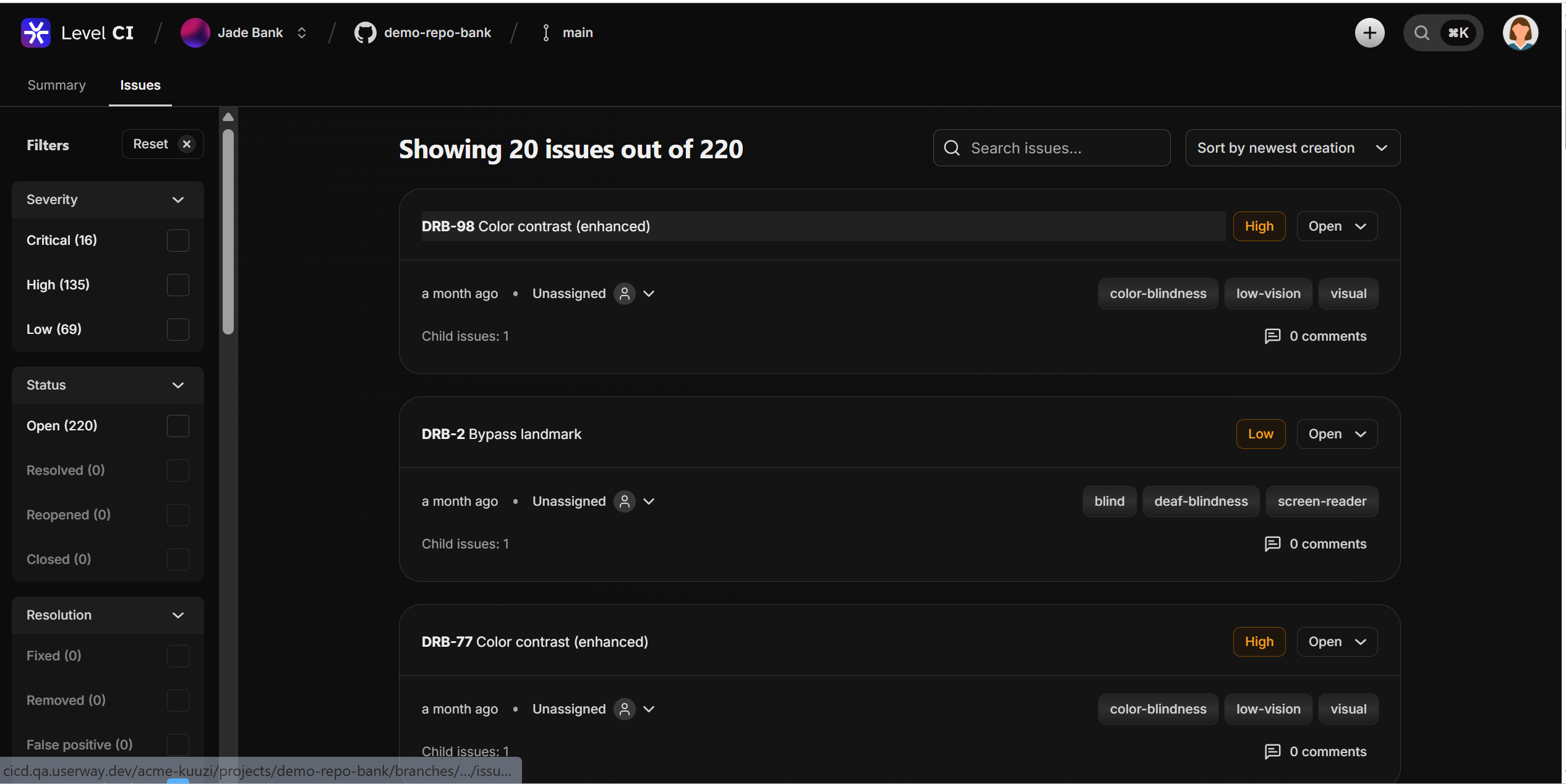
You can review all findings by selecting View all issues.
Ongoing analysis
After the initial scan, Level CI automatically runs new analyses whenever changes are made to the default branch, including:
- Direct pushes
- Pull request merges
- Branch merges
This helps ensure accessibility issues are continuously monitored as your codebase evolves.
Review results
After each analysis:
- Review the scan status.
- Open the analysis results in the Level CI dashboard.
- Investigate any new or existing accessibility issues.
- Resolve issues as needed.
- Re-run the analysis to verify your changes.
- Configure your quality gate
- Use accessibility quality gates to define the requirements your project must meet before changes can be merged or deployed.
Quality gates can help you:
- Prevent accessibility regressions.
- Enforce organizational accessibility standards.
- Track improvements over time.
For more information, see Manage quality gates.